Troubleshooting - Deceptive site ahead warning in browser
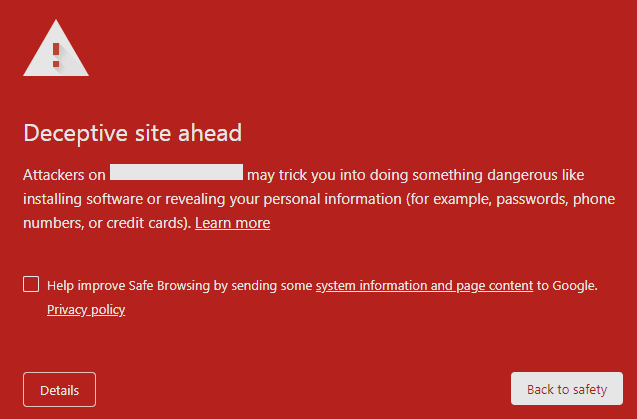
In some cases, when accessing an online store, your browser (such as Google Chrome, Microsoft Edge, etc.) may issue a warning that says Deceptive site ahead/Dangerous site. This warning is a false positive generated by the browsers and can be resolved by submitting a report to the support team. This article will guide you on how to fix and remove the warning from the browser to access the store normally.
Step-by-step Tutorial
A. Google Chrome/Mozilla FireFox/Safari
If you encounter this warning in Mozilla Firefox or Safari, you only need to follow the Google Chrome instructions, as these browsers share data with Google Chrome.
Open an incognito window (you can use the shortcut Ctrl + Shift + N).
In the incognito window, go to the following link: https://safebrowsing.google.com/safebrowsing/report_error/?hl=en.
URL: Input the URL of your store.
Tick the box that says I'm not a robot.
Click Submit Report button to send your report to Google.

After successfully submitting your report, you will see a confirmation screen indicating that your report has been received.

B. Microsoft Edge
Open your store in Microsoft Edge.

Click on More Information in the warning message. Select Report that this site doesn’t contain phishing threats.

A new tab will open, select the option: I am the owner or representative of this website and I want to report an incorrect warning about this website. Then fill in the required information.

Your Name
Email Address
Company Name
Street Address
Website Address: your store URL.
Purpose of Website: For e-commerce store.
Are there additional web pages on your site that generate incorrect warnings?: No.
List all personal information collected by your website: Our website does not collect any personal information.
Why does your website collect personal information?: Our website does not collect any personal information.
Provide a link (URL) to your website’s privacy statement: https://www.shopbase.com/privacy-policy.
Other fields can be left blank.

After filling out the form, enter the CAPTCHA to verify your submission. Then, click the Submit button to send your report.
After submitting your report, please allow 2 to 24 hours for Google and Microsoft to update their data accordingly. Changes may not occur immediately.