Verify Facebook Pixel & Conversions API are sending events correctly
Use Facebook Events Manager to check whether your Facebook Pixel and Conversions API are sending events correctly from your store.
A. Verify Facebook Pixel
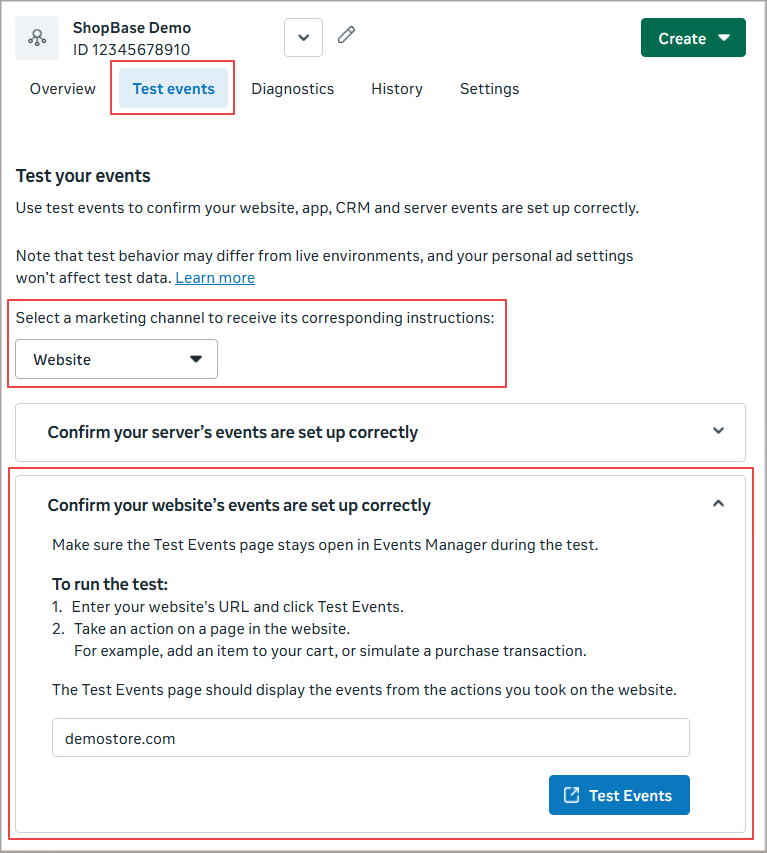
Go to Facebook Events Manager and select your Pixel.
Open the Test Events tab.
Select Website as the marketing channel.
Click Confirm your WEBSITE’s events are set up correctly.
-
Enter your store URL and click Test Events.
Browse your store and perform actions such as: view product, add to cart, checkout, purchase, etc.
If events like ViewContent, AddToCart, and Purchase appear in Test Events, your Facebook Pixel is working correctly.
If no events appear, please check your Pixel setup again and follow this guide: Create Facebook Pixel & Access Token.

B. Verify Conversions API
Go to Facebook Events Manager and select your Pixel.
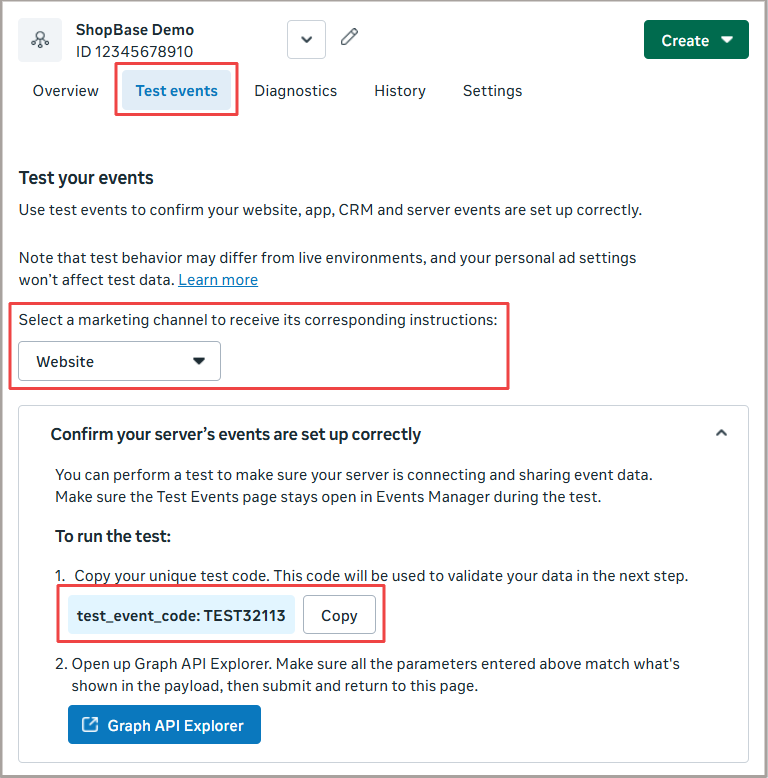
Open the Test Events tab.
Select Website as the marketing channel.
Click Confirm your SERVER’s events are set up correctly.
-
Copy the test code.
-
In ShopBase store admin, go to Marketing & Sales > Sales Channel > Facebook. In Facebook Pixel & Conversions API, add the test code to the end of your Access Token using this format:
AccessToken-testcode-YourTestCodeExample: EAAFtFujwF-testcode-TEST32113
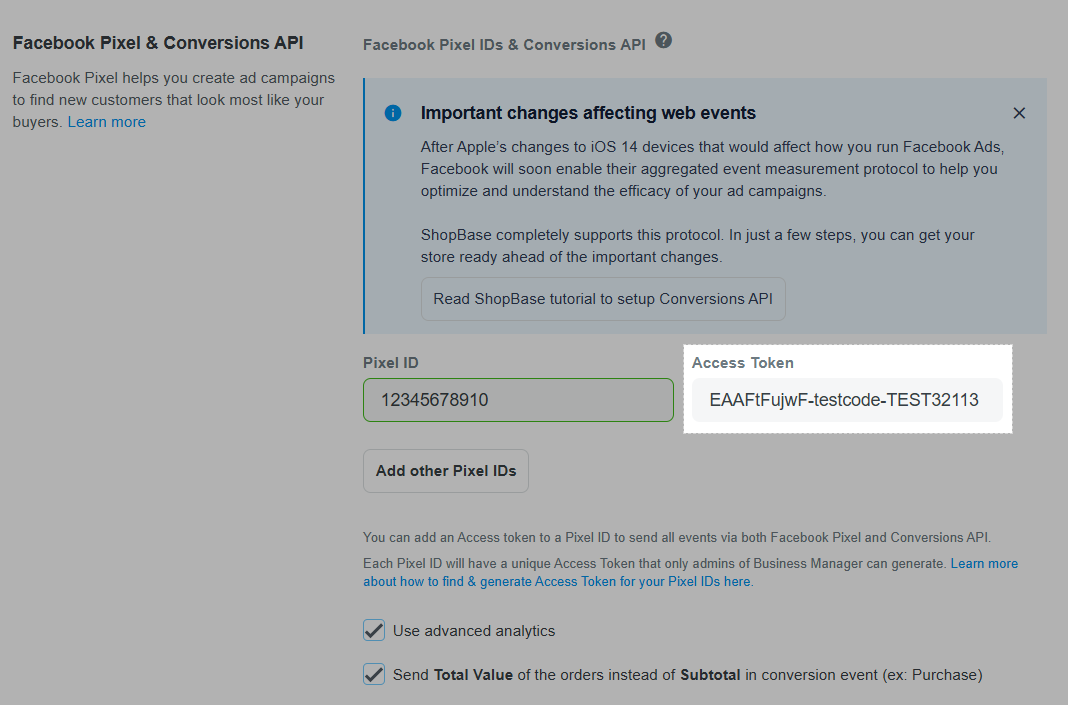
Save changes and perform actions on your store.
If server events appear in Facebook Test Events, your Conversions API is working correctly.
If no events appear, please check your Pixel setup again and follow this guide: Create Facebook Pixel & Access Token.

C. Troubleshoot Facebook warnings & duplicate events
Duplicate purchase events
Duplicate Purchase events may happen if Facebook’s Track Events Automatically Without Code feature is enabled, because ShopBase already sends Purchase events natively.
To avoid duplicate events:
Go to Facebook Events Manager.
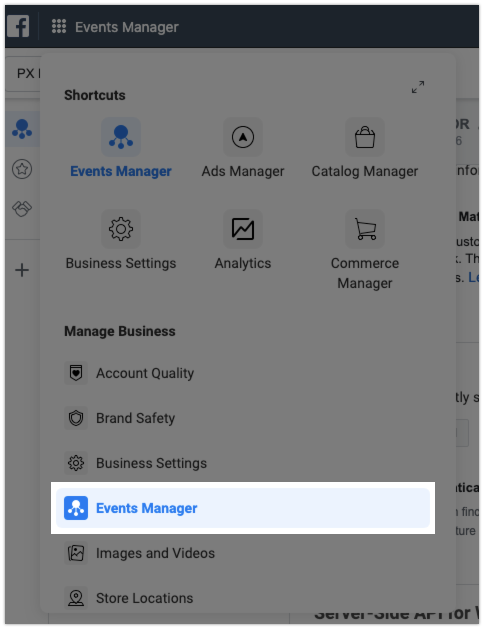
Select your Pixel > Settings.
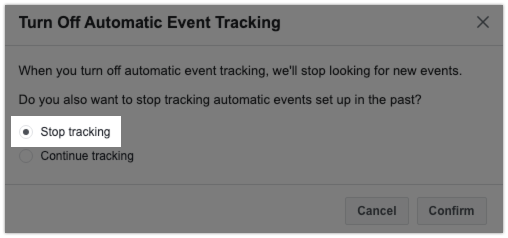
Turn off Track Events Automatically Without Code under Event Setup.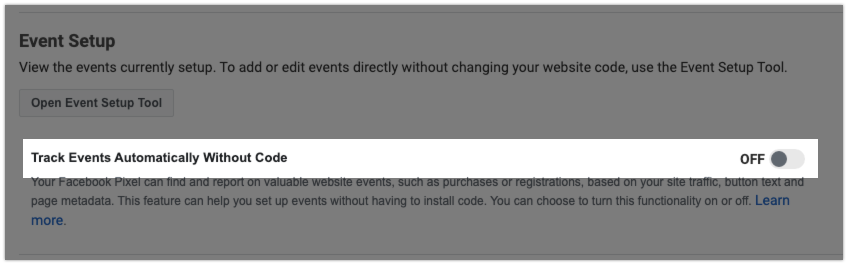 Select Stop Tracking and Confirmed (additional).
 Go to Overview > Purchase > Manage > Click on the trash can icon > Delete (additional).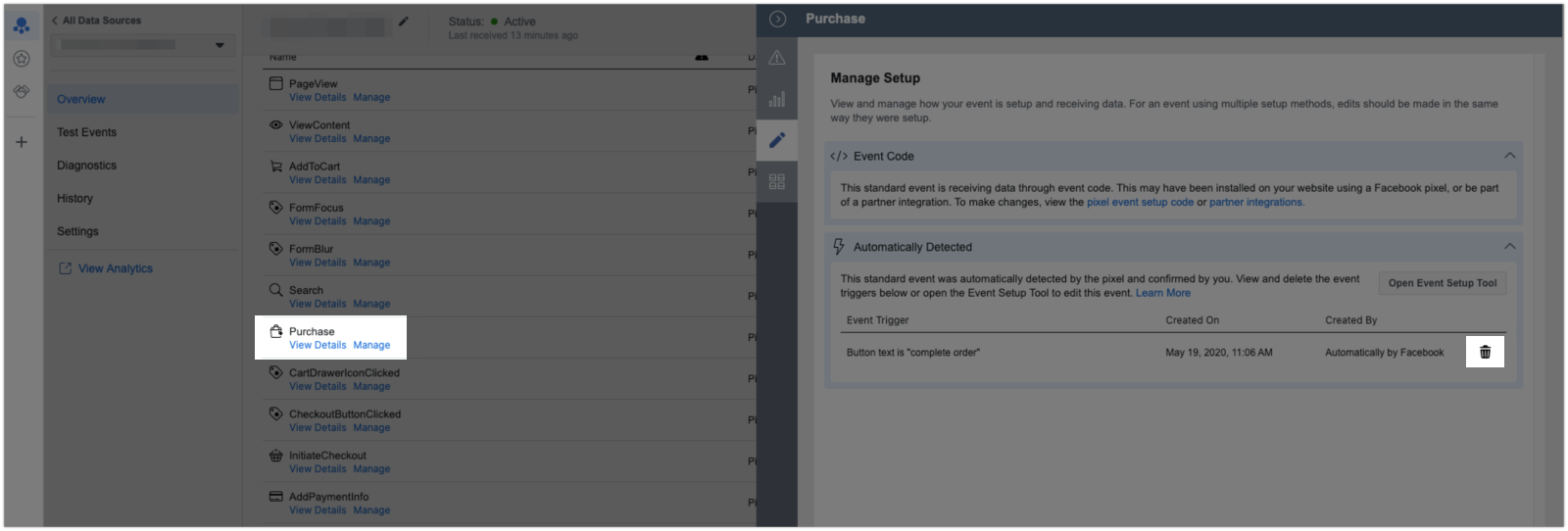
Low Event Matching Quality
These warnings usually appear for events such as Search and ViewContent. This is expected because customer information (such as email address or phone number) is limited at these steps unless customers are logged in.
Facebook may take up to 48 hours to aggregate and process data, so the Event Matching Quality score may improve over time. Please wait for Facebook to complete data aggregation before further checking.
A low matching quality score for InitiateCheckout or Purchase events (below 3) is considered abnormal. In this case, please contact ShopBase Support for further assistance.
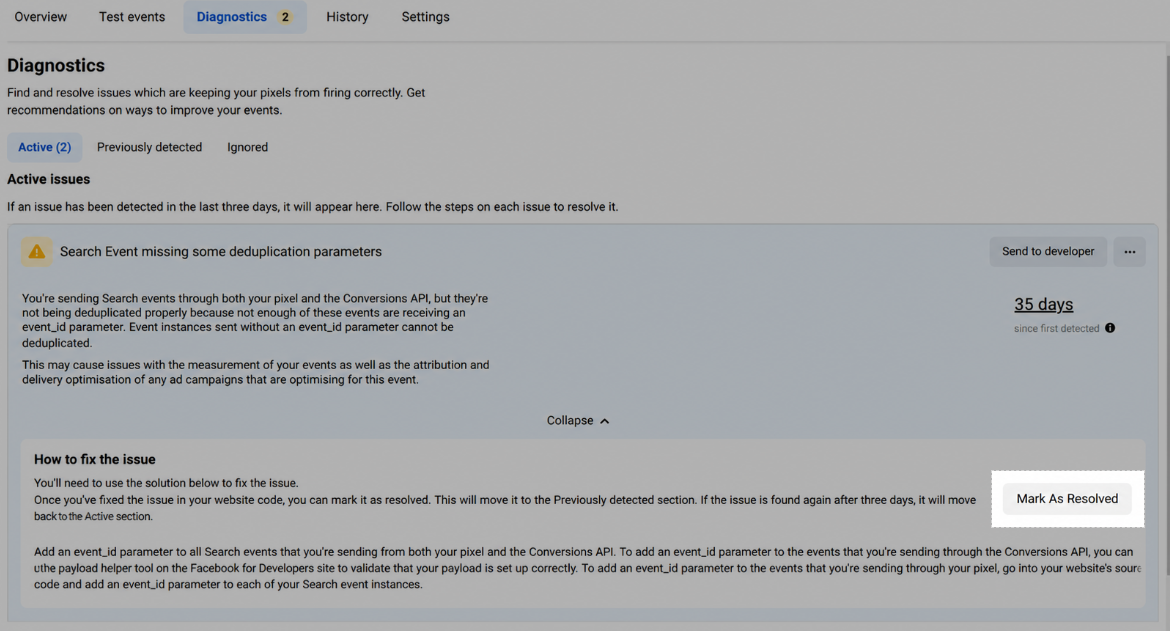
Same event_id received for many event instances / Missing deduplication parameters
These warnings usually appear when additional Facebook or third-party scripts are installed in your store and send duplicate events to Facebook.
Please note that Facebook Pixel and Conversions API are already integrated natively in ShopBase, so no additional Facebook scripts are required.
To fix this issue:
Go to Online store > Design > Customize, then open Settings > General > Additional Scripts and remove any unnecessary or duplicate Facebook Pixel/event tracking scripts if found.If you still receive this warning after removing extra scripts, please contact ShopBase Support for further assistance.
Server External ID not matching to Pixel External ID
ShopBase already sends matching parameter values to both browser and server events. However, Facebook may take some time to process and update the data, so this warning may appear temporarily.
If the warning continues to appear regularly, please check the following:
Make sure no additional Facebook scripts are added to your store.
-
Make sure you are not using Facebook Event Setup Tool to create extra events. If events marked as Event Setup Tool appear in the Test Events tab, remove them to avoid duplicate tracking and data mismatch.
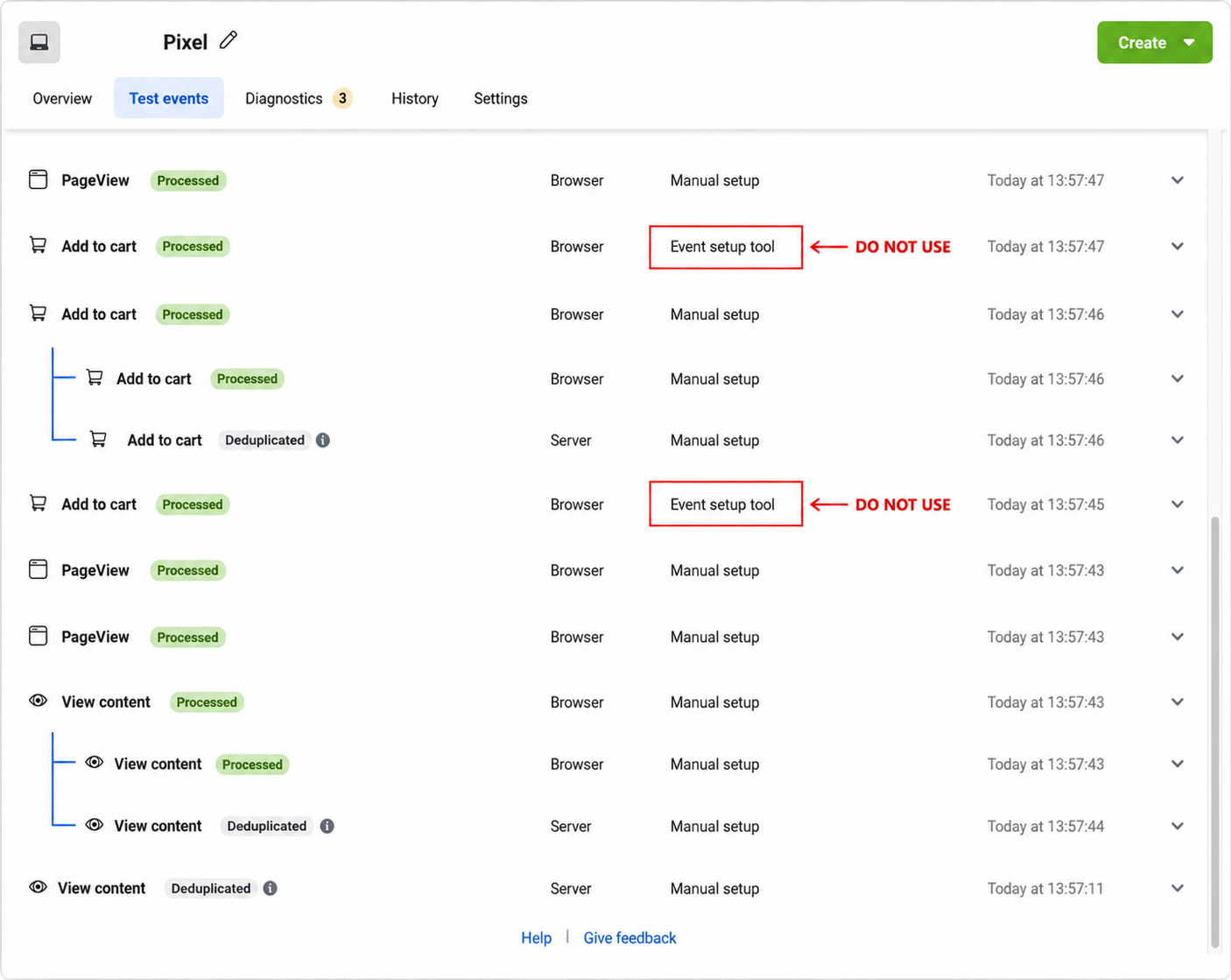
After completing the steps above:
Open the warning in Facebook Events Manager.
Click How to fix the issue > Mark As Resolved. Wait for Facebook to refresh and update the data automatically.